

Digital Communications: Authority and Authenticity
A workshop held on May 6, 2026
These digital communication resources were developed by Brent Powell, Headwaters Economics’ lead web and media developer, for the 2026 Regional Tribal Emergency Management Summit. The workshop gave local emergency managers hands-on practice with microphones, cell phone video, and social media — tools they can use to get critical safety messages to residents before and after disasters.
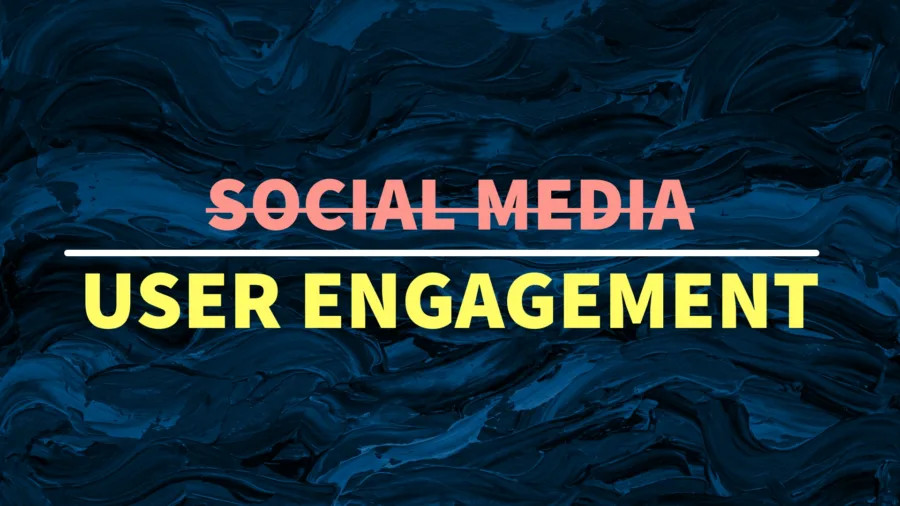
You can post three general categories of content, social media platforms tend to prioritize them like this:
- Text – Low engagement
- Press releases, information updates
- Graphics – Medium engagement
- Pictures, Carousels, Posters
- Video – High engagement
- Interviews, how-to’s, montage, vlogs
Social Media
Most, if not all, of these platforms are what I like to call “User Engagement Platforms” as they are incentivized to keep users on the platform to see as many ads as possible and collect user data. I think it’s fair to say that they are not neutral places, but they can still be used for good. The platforms find value in people staying on their platform, so give them something sticky. Use it as a tool, don’t become the product.
Point everything to one place where people can go to find your information. Share a piece of information on social media and link to the rest on your website.
- Website
- Profile
- Newsletter signup
Post content that is valuable (i.e. people look at it for a long time)
- Guides on how to make a go bag or emergency kit.
- If you regularly get a “How do I???” question, make content around it.

It’s never been easier to set up a web site. What used to cost thousands of dollars and require constant maintenance now can be developed for free and maintained for the cost of eating a meal out each month.
Build your own website
Social media platforms come and go—and they’re designed to keep your audience on their platform, not yours. A website gives you a home base you control. No algorithms, no blackouts, no account suspensions. Everything else you do online can point back to it.
Platform options
- Wix (free tier available) — wix.com
- Drag-and-drop builder, good for beginners, no coding required
- Tutorial: Essential Wix Tutorials
- WordPress.com (free tier available) — wordpress.com
- More flexibility, large support community, scales as you grow
- Tutorial: WordPress 101 Series
- Squarespace (paid, ~$16–$23/month) — squarespace.com
- Polished templates, great for visual-forward organizations
- Tutorial: Getting started with Squarespace
Custom email address
Having an email at your own domain (you@yourorg.org) signals credibility and authority. Options:
- Google Workspace — nonprofit licensing available through Google for Nonprofits
- Microsoft 365 — nonprofit pricing available through Microsoft Tech for Social Impact
- Proton Mail — privacy-focused option

Practice, practice, practice…
- Something that needs to be done
- Something that will happen
- Something public so you get feedback
Starter gear kit
You don’t need expensive equipment to get started. The items below are what we gave away at the workshop—and they’re a solid beginner kit for many situations.
The giveaway kit
- Joby GorillaPod (phone holder/tripod) — B&H Photo Video
- Flexible legs wrap around poles, wrap to a railing, or stand on a desk—versatile and pocket-sized.
- DJI Mic Mini — B&H Photo Video
- Wireless lavalier mic that clips to your shirt or snaps to your phone magnetically. 400m range, 11.5 hrs battery. All microphone placement rules still apply (see Sound Better section below).
- SmallRig P96 Video Light — B&H Photo Video
- Gives your phone a small, simple lighting solution for when existing light is low.
Tips & tricks
- Clean your phone’s microphone port occasionally—use a toothpick, very gently.
- Recording audio-only? Do it in a clothes closet. Soft garments absorb echo similar to a padded studio.
- A windscreen (aka dead cat or fuzzy hat) cuts down outdoor wind noise significantly.
- Wireless mics like the DJI Mic Mini can be mounted to a hat, a stand, or a ruler—all the same placement rules apply.
Sound better
Sound is the most important—and most often overlooked—part of audio-visual content. A video can look rough but still work if the audio is clear. The reverse isn’t true.
Microphone placement quick reference
| Mic type | Distance | Notes |
| Handheld / headset | Less than 1 inch | Two positions: 45° at chin, or 90° to mouth. Watch for plosives (P and B sounds). |
| Lapel (lavalier) | Typically 4–6 inches, but the closer the better | Mount on zipper, lanyard, or collar. Point toward mouth. |
| Desktop mic | 1–10 inches | Watch for plosives. Windscreen helps. |
| Shotgun mic | 1–3 feet | More focused than it seems—still needs to be close. |
| Built-in phone / camera mic | Quiet environments only | Fine for controlled indoor recording. Move to a quiet room. |
Authenticity > vanity
People connect to real, present, clear—not polished-to-perfection.
Look better
Most people don’t love being on camera. That’s normal. The good news: a few basics go a long way toward looking steady, confident, and credible—without needing any special equipment.
Stability
- Use a tripod whenever possible. The Joby GorillaPod from the kit above works on almost any surface.
- If handheld: tuck your elbows in, feet shoulder-width apart. Pivot at the waist, not the wrists.
- Brace against a counter, wall, or doorframe when you can.
- If you’re walking and filming: keep your arm fully extended. An extended arm in frame can reduce perceived motion sickness for susceptible viewers.
Framing
- Your face matters most—it’s what people connect to. Frame it clearly.
- Rule of thirds: enable the grid on your phone camera. Place your eyes near the top-third line.
- Leave a little space above your head; don’t cut off your chin.
- Film vertically for social media (Reels, TikTok, Stories). Film horizontally for YouTube or your website.
Lighting
- Face a window—natural side lighting is the most flattering.
- If using a ring light, position it at eye level or slightly above, pointed at your face.
- Never light from below (it creates unflattering shadows).
- The bigger the light source, the softer and more even the shadows.

Tools we recommend
Video editing
- DaVinci Resolve — Free. Works on Windows, Mac, and Linux. Professional-grade.
- iMovie — Free. Apple devices only. Simple and beginner-friendly.
- CapCut — Free (owned by ByteDance). Works on all platforms. Very popular for short-form video.
- Descript — Paid ($0+ tier). Transcription-based editing and audio cleanup. Great for podcasts and interviews.
Design & graphics
- Canva — Free to $144/yr. Great for graphics, carousels, social posts, and simple video. Also comes with access to desktop license of Affinity Studio.
Social media management
- Meta Business Suite — Free. Schedule posts for Facebook, Instagram, and WhatsApp without being on the apps.
The tools I use
Here are the tools I use to produce the content at Headwaters Economics. I am an Apple computer user, so many of my apps are Mac only.
- Video: Final Cut Pro
- Graphic Design/Photo Editing: Pixelmator Pro
- Audio editing: Logic Pro
- Transcription: Descript (also an audio and video editing platform)
- Website platform: WordPress (we use the open source community edition)
- Cameras: Nikon Z 6 III
- Microphones: DJI Wireless Mic & Rode VideoMic Go II
You might wonder where Adobe is on this list. While I do still have an active Adobe license, I am actively retooling my workflows to use other software packages. For compatibility with others, I still stay current with Photoshop, Illustrator, and Lightroom. While there is nothing technically wrong with Adobe software, other options have similar features and some are more affordable.
Subscribe to our newsletter!
Questions from the workshop
Here are answers to the questions many of you raised during the session.
How often should I post?
Consistency matters more than frequency. It’s better to post reliably once a week than erratically every day. Start with a schedule you can actually keep—even once or twice a week, even once a month—and adjust from there. For emergency management organizations, it’s also fine to ramp up during an event and quiet down otherwise, as long as you’re still present in between.
What’s the difference between platforms—Instagram vs. LinkedIn vs. Facebook?
Facebook has the broadest reach (80%+ of U.S. adults) and works well for local community communication. Instagram and TikTok skew younger (16–34) and favor visual/video content. LinkedIn is professional-network focused—better for peer-to-peer and organizational credibility than community outreach. You don’t have to be everywhere. Start where your audience already is, and expand once you have a rhythm.
How do I set up Meta Business Suite for Instagram?
You can manage both Facebook and Instagram from Meta Business Suite, even if you primarily use Instagram. Go to business.facebook.com, connect your Instagram account, and you’ll be able to schedule posts, view insights, and respond to messages across both platforms in one place. You do need a Facebook account to access Business Suite, but you don’t have to use Facebook publicly.
How often should we update our website?
A good rule of thumb: review your content at least quarterly. Update your home page and key pages any time your programs, contact info, or priorities change significantly. Fresh content also helps with search engine visibility. Even small, regular updates (a new photo, a current news item, updated contact info) signal that your organization is active.
What about digital business cards?
As long as you have a website or consistent digital landing page, digital business cards are a convenient way to share contact info without paper. You mentioned using Dibiz, other popular tools include HiHello, Linktree (for a link hub rather than a card), and Blinq. Many of these let you share via QR code or NFC tap. The best one is whichever you’ll actually use, keep updated, and people are actively using.
What about podcasts?
Make sure you are ready for a commitment–successful podcasts take effort to produce. Podcasts are a great format for longer-form storytelling, interviews, and building trust over time, but keep in mind that they require a fair amount of work to produce. You want to maintain a regular cadence of episode releases, so try to have some produced so you aren’t overwhelmed trying to record new episodes to keep the pace. To get started, you’ll need a decent microphone (the DJI Mic Mini or a USB desktop mic works fine), recording software (Descript or Audacity, both free), and a hosting platform (Buzzsprout, Podbean, or Anchor/Spotify for Podcasters are common starting points). Your podcast will automatically distribute to Apple Podcasts, Spotify, and others once it’s hosted. Here’s a good resource.
How do I synchronize all my social platforms?
You don’t have to post separately to every platform. Meta Business Suite lets you post to Facebook and Instagram simultaneously. For broader multi-platform scheduling (including LinkedIn, YouTube, etc.), tools like Buffer or Later offer free tiers. The key principle: post your full content on your website, then share a piece of it on social media with a link back. That way your website stays the source of truth, and your social posts drive traffic there.
What about privacy, HIPAA, and what we can share publicly?
This is a real constraint for many of you, especially in healthcare and emergency management. General guidance: share process and mission, not patient or incident details. Highlight your organization’s capacity, readiness, and community presence rather than specific cases. For press releases and formal communications, clear everything through your communications or legal team first. When in doubt, a photo of your team in action—with consent—is often safer and more compelling than written incident descriptions.
Questions? Contact Brent Powell, Web & Media Producer, Headwaters Economics

Brent Powell | Web & Media
Brent leads Headwaters Economics’ web and media development. Blending technical skills with creativity, he supports the team with website management, photography, videography, and graphic design.